
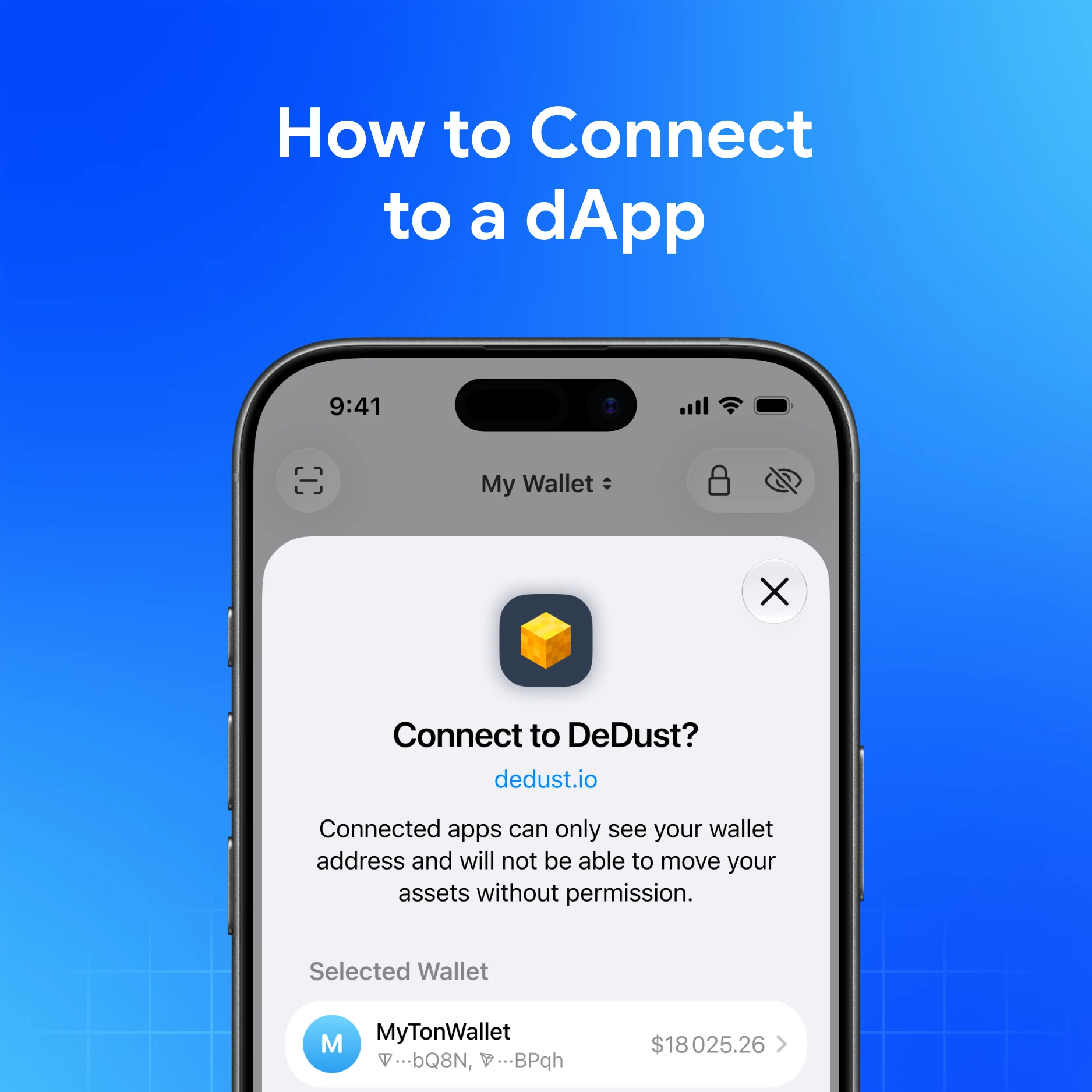
Connecting a wallet to a dApp lets you sign actions in DeFi, games, NFT markets, and Telegram mini apps—without pasting your seed into a website.
Quick answer
In My Wallet, there are two connection paths: TON Connect (TON / many Telegram dApps) and WalletConnect (broad multichain dApp menu). Open the dApp, choose Connect, pick My Wallet / the right protocol, review the request, then approve. Your keys stay in the wallet; you sign each meaningful action. Official support never asks for your seed.
What a wallet connection is (and is not)
| Is | Is not |
|---|---|
| A session so the dApp can request signatures | Giving the website your seed phrase |
| Revocable from wallet / dApp settings | Automatically “safe forever” |
| Network-specific (TON vs EVM vs others) | A free pass to ignore confirmation screens |
If a site asks you to type 12/24 words to “connect,” stop—that is not TON Connect or WalletConnect.
Before you connect
- Confirm you opened the real dApp (official bot, bookmarked URL, or Explore listing—not a DM clone).
- Know which network the dApp uses.
- Keep a little native fee token available unless a gasless path applies.
- Prefer a wallet funded for experiments over your life savings for first visits.
Explore discovery works from the in-app Explore tab. Fake dApps are a common scam class—see How to Avoid Crypto Phishing Scams.
Connect with TON Connect
TON Connect is the standard for many TON dApps and Telegram mini apps.
High-level flow:
- Open the dApp (Telegram bot / direct link).
- Tap Connect wallet.
- Choose My Wallet and follow the prompts.
- Approve the session in My Wallet.
- Later actions show sign requests—read each one.
My Wallet can also support sign data requests from TON Connect dApps: review carefully; a signature can authorize actions similar to a transaction.
Connect with WalletConnect
My Wallet appears in the WalletConnect menu, giving access to a large set of compatible dApps and services across networks supported in My Wallet.
High-level flow:
- On the dApp, choose Connect wallet, then WalletConnect (not a TON-only option if you need WalletConnect).
- Scan the QR with My Wallet, or confirm on-device if you are already on your phone.
- Review the dApp name and permissions, then confirm.
- Use the dApp; sign only prompts you understand.
WalletConnect Pay for merchant-style payments is documented separately when you need that flow.
After you connect: safety rules
- Read every prompt — amount, asset, network, spender / contract
- Reject anything you did not start
- Disconnect unused dApps when you're done with them
- Prefer small tests before large approvals
- Never share seed, private key, or “support recovery” codes
Specialist wallets (MetaMask, Rabby, Phantom, Keeper, Trust Wallet, Coinbase Wallet) use similar connect patterns in their ecosystems. My Wallet’s edge for many users is TON Connect + WalletConnect + multichain self-custody in one place—including Telegram Mini App access.
Common mistakes
- Connecting from a phishing clone that looks like a real mini app
- Approving unlimited allowances “to save time”
- Leaving old sessions connected for months
- Mixing networks (sending the wrong chain’s asset after a confuse-the-UI prompt)
- Confusing connection with importing a seed
Download My Wallet
Download My Wallet to connect to dApps from self-custody—you hold the keys.
FAQ
Does connecting a dApp give it my seed?
No. A proper TON Connect or WalletConnect session requests signatures from your wallet. Any page that demands the seed is a scam pattern.
TonConnect or WalletConnect—which do I pick?
Match the dApp. TON / many Telegram apps use TON Connect. Many EVM and multichain sites use WalletConnect. If unsure, use the option the official dApp labels—and verify the domain or bot first.
Can I use more than one wallet with the same dApp?
Usually one active wallet per session. Pick the account you intend to fund and disconnect when switching.
Helpful My Wallet guides
- How to connect a dapp?
- How to disconnect a dapp?
- How to sign data with dapps?
- Explore Tab
- What are decentralized applications (dapps)?